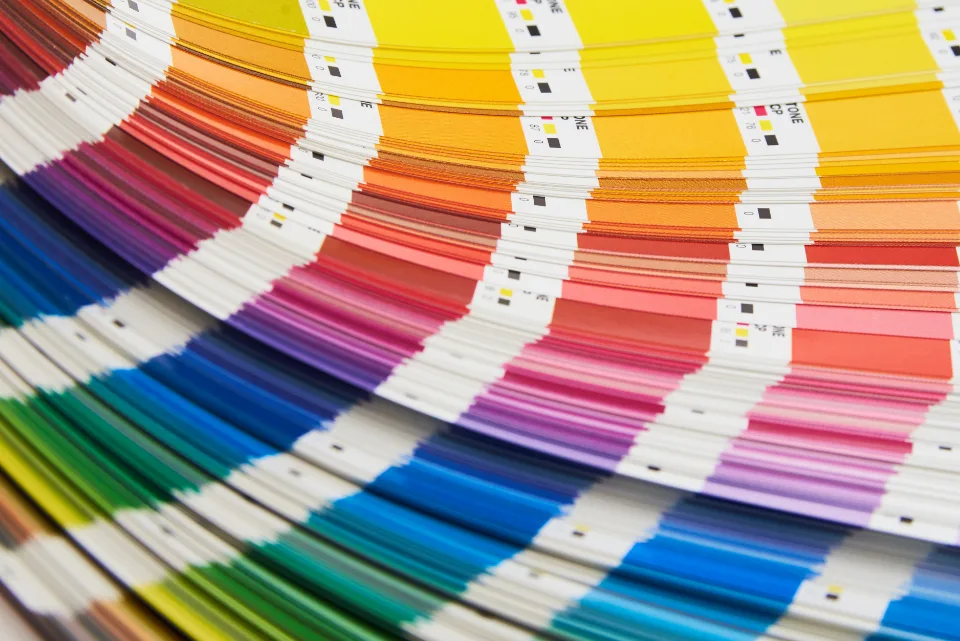
Building a Tailwind-style 50–950 color scale

One hex code from a brand guideline is never enough to build an interface. You need a hover state, a disabled state, a tinted background, a border, a badge and a dark-theme equivalent — eleven steps, which is exactly what the 50–950 convention gives you. Generating them well is a matter of choosing the right color space and then being disciplined about what you vary.
What the numbers mean
The convention comes from Tailwind CSS and has spread well beyond it: 50 is the lightest tint, 500 is the nominal “the color”, and 950 is the darkest shade. The eleven steps are 50, 100, 200, 300, 400, 500, 600, 700, 800, 900, 950 — note that the spacing is not even, with extra resolution at both ends where small lightness differences matter most.
Tailwind v3 shipped these as hex values picked largely by hand. Tailwind v4 publishes them as OKLCH, which is what made mechanical generation reasonable: the default palette now has a stated lightness target per step, and you can match it. In v4 a custom scale is simply eleven `--color-name-step` declarations inside an `@theme` block.
A practical detail: your brand color rarely belongs at 500. A pale mint sits naturally around 300, a deep navy around 800. Anchoring the ramp at the step whose lightness is closest to your color, rather than forcing it into the middle, keeps the original hex inside the scale instead of next to it.
Why HSL ramps look wrong
HSL is a trivial reshuffling of RGB, not a model of vision. Its L is the midpoint between the largest and smallest channel, which has almost nothing to do with perceived brightness. Yellow at hsl(60 100% 50%) and blue at hsl(240 100% 50%) claim the same lightness; measured, the yellow is roughly ten times more luminous.
Step the L value of an HSL color evenly and the result is bunched in the middle and stretched at the ends: 100 and 200 look nearly identical, while 800 and 900 fall off a cliff. Saturation behaves just as badly, collapsing to gray much faster at high lightness than at low.
There is also hue drift. Darkening a blue in HSL by lowering L pulls the result toward purple, and darkening a yellow pushes it toward olive-green. Designers compensate by hand-correcting hue at each step, which is exactly the work a perceptual space does for you.
The OKLCH recipe
OKLCH is the cylindrical form of Björn Ottosson's OKLab: L is perceived lightness from 0 to 1, C is chroma (roughly, colorfulness) with no fixed maximum, and H is hue in degrees. Equal steps in L look equal, and hue stays where you put it — a blue darkened in OKLCH remains that blue.
The recipe is three rules. Keep H constant for the whole ramp. Walk L across fixed targets — the ones PalettePeek uses are 0.971, 0.936, 0.885, 0.808, 0.704, 0.637, 0.577, 0.505, 0.444, 0.396 and 0.268, which track Tailwind's own defaults closely. And scale C with a curve that peaks around 500–600 and falls away toward both ends, because very light and very dark colors cannot hold much chroma anyway.
Normalise that chroma curve against the anchor step so the scale passes through your original color instead of near it. If your brand blue lands at step 700, the multiplier at 700 becomes 1.0 and every other step is relative to it. Without that normalisation a pale source color produces a ramp that is too saturated everywhere.
Gamut clamping, and why 950 looks duller
OKLCH can describe colors that no sRGB screen can show. Ask for oklch(0.27 0.19 250) and the conversion produces negative or over-range RGB channels — a color that exists in the model but not on the display. Something has to give, and the least damaging thing to give up is chroma.
The standard fix is a binary search: hold L and H, halve the chroma range until you find the largest C that still converts to valid sRGB. That keeps the step's lightness exactly on target — which is what your contrast calculations depend on — and quietly accepts a duller color. It is why the 950 of a vivid ramp often looks closer to a dark neutral than you expected.
If your product targets modern displays you can widen the target to display-p3 and keep more chroma at the ends, but then you need an sRGB fallback for everything else. For most interfaces the clamped sRGB ramp is the right default, and the `@supports (color: oklch(0 0 0))` dance is not worth the complexity.
Semantic tokens on top of the scale
A generated ramp is a palette, not an API. Components should never reference `--color-indigo-600` directly; they should reference `--color-action`, `--color-surface`, `--color-border` or `--color-text-muted`, and those should point at scale steps. One indirection, and re-theming becomes a dozen edits instead of hundreds.
A workable starting map for a light theme: surface 50, surface-raised white, border 200, text-muted 600, text 900, action 600, action-hover 700, action-pressed 800. Those steps are chosen for contrast, not for looks — 600 on 50 clears 4.5:1 for most hues, and 200 clears the 3:1 that borders need.
Name tokens after their job, not their appearance. `--color-danger` survives a rebrand from red to orange; `--color-red-button` does not. The same rule applies to the scale name itself: `brand` ages better than `indigo` when marketing changes its mind.
Dark mode is not an inversion
Swapping 50 for 950 and 900 for 100 produces a dark theme that is technically correct and physically unpleasant. Pure inversion makes backgrounds too black, text too bright, and every accent too saturated, because light colors on a dark ground appear larger and more intense than the same colors on white.
Better defaults: use 900 rather than 950 for the page background so raised surfaces have somewhere to go, use 200 or 300 rather than 50 for body text, and lift the accent to 400 while trimming its chroma by ten to twenty per cent. Borders usually need to move from 200 to 800 — not to 700, which will look like a divider drawn in chalk.
Then measure both themes. The pairs that pass in light mode are not the pairs that pass in dark mode, and the WCAG 2.x formula is known to be generous about light-on-dark. If a dark-theme pair scores 5:1 but reads as glare, lowering the text lightness by one step usually fixes it without touching the ratio much.
The takeaway
Fix the hue, step the lightness against known targets, curve the chroma and clamp each step into the gamut — that is the whole recipe, and it takes about thirty lines of code. Then put semantic tokens on top, build the dark theme by choosing steps rather than inverting them, and check the pairs you shipped in both themes.